Every setting.
One dashboard.
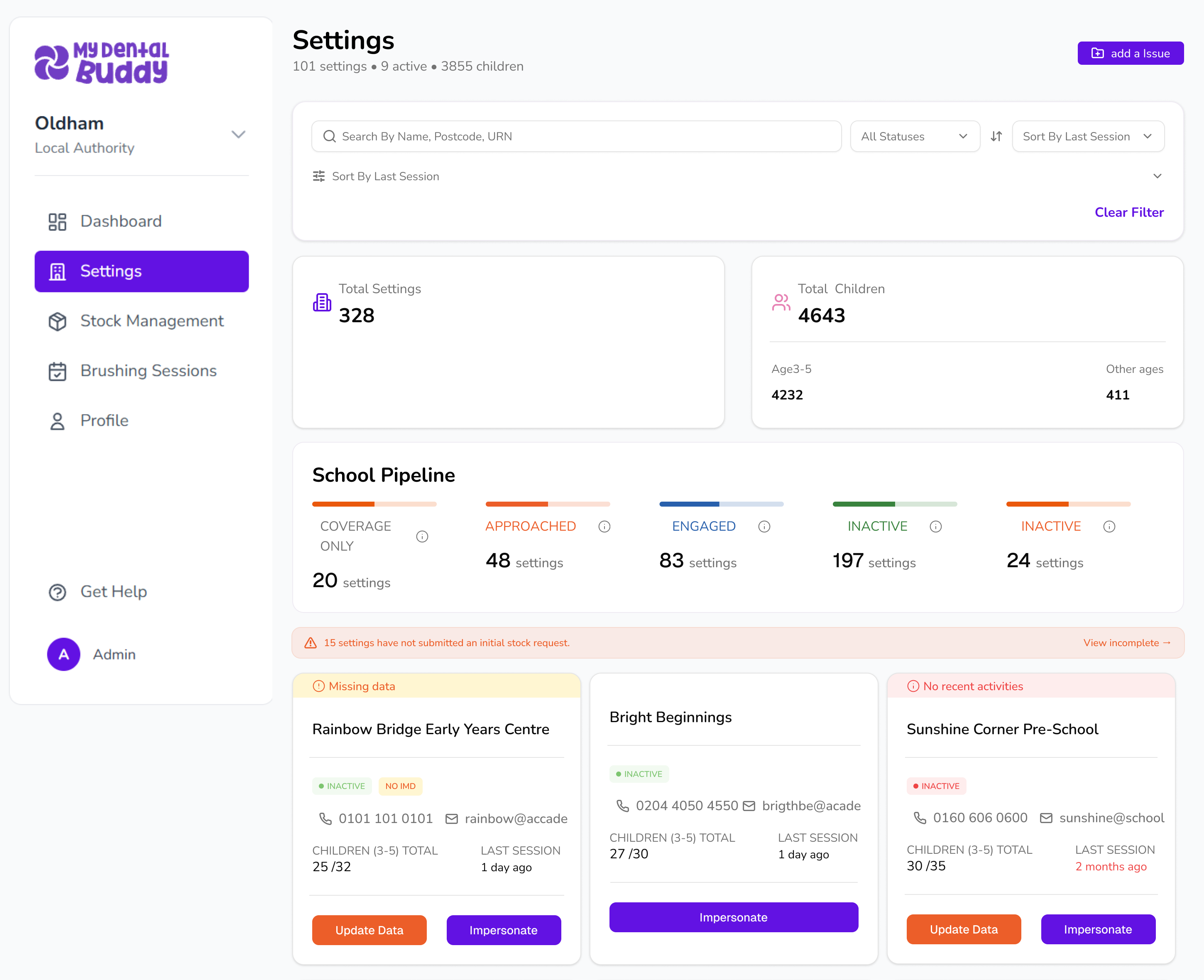
Manage hundreds of schools, nurseries, and early years settings from a single view. Add settings in bulk, track pipeline progress, and see exactly where every setting stands.
Certified for security. Supported for impact. Already delivering.


%201.png)



Track every setting from
first contact to active delivery
.png)
From file chaos to
single source of truth
01
Every setting in one place
300+ schools, one dashboard. Search, filter, sort. No more "which tab was Oak Tree in?" ever again.
02
Bulk upload your settings
Download template, paste your chaos, upload once. We'll clean it up and you'll never look back.
03
Pipeline that makes sense
Unapproached → Asked to Participate → Awaiting Training → Actively Participating → Refused. Know exactly where every setting stands. No more colour-coded nightmare rows.
Everything About Every School
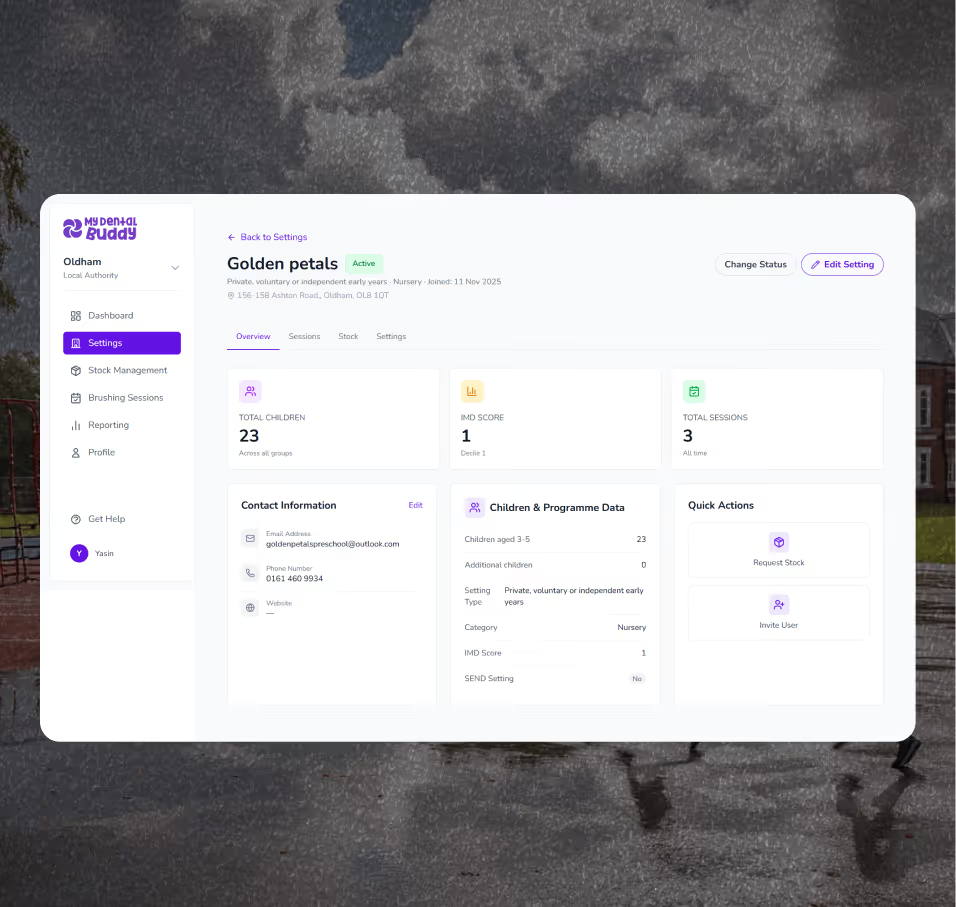
Click any school and see everything: contact details, session history, stock requests, training status, audit records, and incidents all in one place.
No more "let me check my emails" or "I think we spoke to them in March". It's all here. One click.
Tabbed interface
Overview | Sessions | Stock | Training | Incidents | Audits
Contact panel
Name, role, phone, email. Quick dial or email buttons
Status history timeline
Exactly when and why status changed. Full audit trail
Quick Actions
Request Stock - Record Feedback Add Audit Invite User
Every School at a Card View - Every Glance
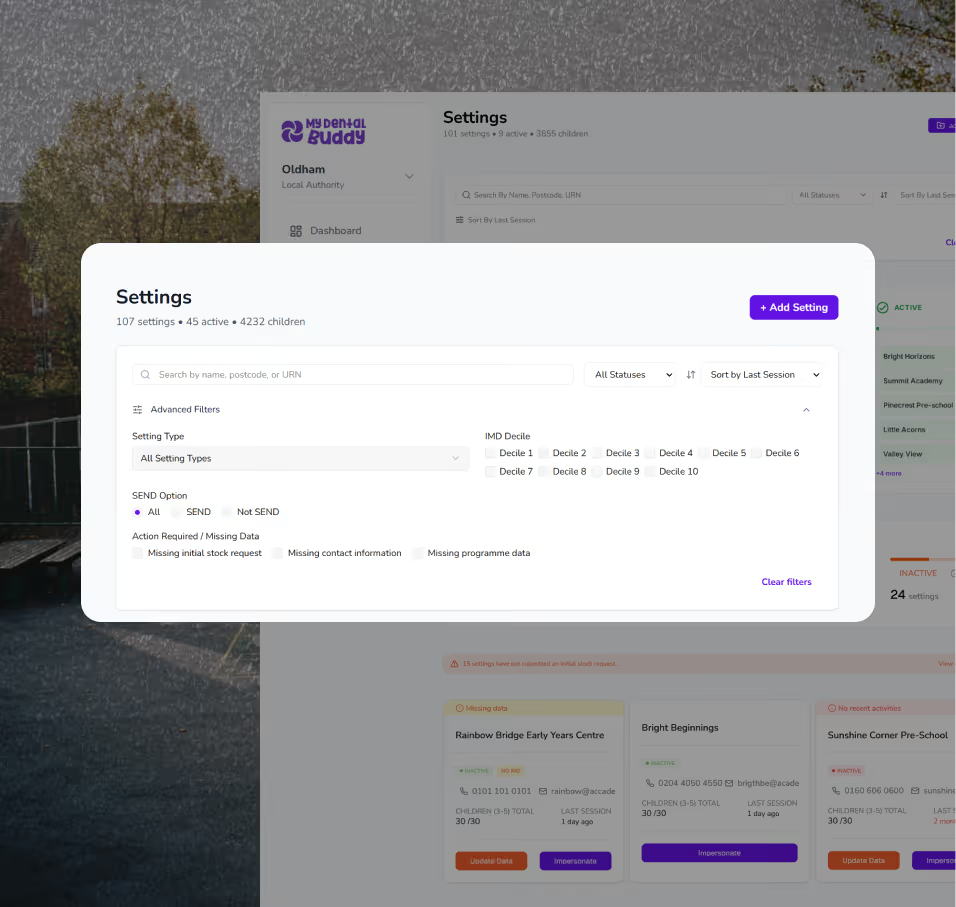
Every setting visible at a glance with name, type, status, children count, and last session.
Type badges
Primary Nursery - PVI clearly visible
Status badges
Active (green) Engaged (indigo). Approached (amber)
Orange dots
Missing data flagged without blocking work
Search & filter
Type 'sunny' and find instantly. No spreadsheet scrolling
Status Change - Track Every Conversation
Every status change logged with context. Who changed it? When? Why?
.avif)

Data Quality-Honest, Not Blocking
We flag what's missing. We never block your work.Orange dot on cards = "this setting needs attention"
Orange dot on cards = "this setting needs attention"
Amber banner on profile: "Missing: IMD score, Contact email Complete when you can"
Missing Data filter toggle: "Show me everything that needs fixing - work through it on a quiet afternoon"
Your data gets cleaner over time, without it ever stopping your day.
No forced fields blocking workflow
Missing data doesn't prevent saving or publishing
Clear visibility of what's incomplete
What relief actually sounds like
"I had a spreadsheet with 287 rows, 47 columns, and three conditional formatting schemes
I couldn't remember. First day with MDConnect, I uploaded it all and never
opened that file again. Best feeling ever."