End the training
bottleneck
Three toolkits for teachers, parents, and children. Five training modules with certification. All accessible from the dashboard, updated by MDConnect.
.avif)
Certified for security. Supported for impact. Already delivering.


%201.png)

From bottleneck to scale
01
Training that runs itself
Five modules, self- paced, certification at the end. New staff train 24/7. You get an hour back per new staff member. Compound that across multiple staff and it adds up fast!
02
Three toolkits available
Teacher toolkit (setup guides, videos, SEND adaptations, consent forms). Parent toolkit (home brushing, multilingual resources). Kids toolkit (colouring sheets, reward charts, songs). Search, filter, download instantly.
03
Get strategic time back
When you're not the document gatekeeper or training delivery service, you can actually grow the programme. Direct impact on what you can accomplish.
Self-Paced Learning.
Training modules that run themselves. 24/7.
The training you used to deliver in person, now available online. Staff train during PPA time, at home, whenever suits. No scheduling. No travel. No "we need to arrange training" for 6 weeks.
See who's ready. See who's not.
Each module card shows: Completed (green tick), In Progress (amber), Not Started (grey). Progress bar at top shows overall completion. You can see at a glance: this TA has done 3 of 5 modules. That new starter hasn't begun. Before: "Has Sarah done her training?" Email chain → nobody knows. Now: one look, clear answer.
Individual progress bars
Every staff member has a progress bar. See completion at a glance. Know exactly where everyone is.
Status colour-coding
Green = done. Amber = in progress. Grey = not started. No interpretation needed.
Works on all devices
The course is hosted on Thinkific, which means it works on laptops, mobile devices, and tablets. Resume training from anywhere.
.avif)
Training Module Deep Dive
5 modules. Around 25 minutes total.
Complete at your own pace. 10-question assessment.
Oral Health Champion certificate on completion
01
Why This Matters
Why childhood tooth decay is a crisis, how supervised brushing makes a difference, your role as staff, what to expect from the programme.
02
Setting Up Your Space
Organising your brushing area, equipment and storage, hygiene basics, getting ready before your first session.
03
Running a Session
The three-part session flow: setup, guided brushing with the MDBuddy Dashboard, and cleanup. Step-by-step from hand-washing to toothpaste dispensing to the celebration screen.
04
Keeping Everyone Safe
What to do when things go wrong (wrong brush, dropped brush, allergic reaction), cross-contamination procedures, SEND adaptations, when and how to report incidents.
05
Consent & Engaging Families
How opt-out consent works, your role in supporting parents, the six key messages for home brushing, and how to reinforce habits beyond the classroom.
Certification. Visibility.
Professional pride.
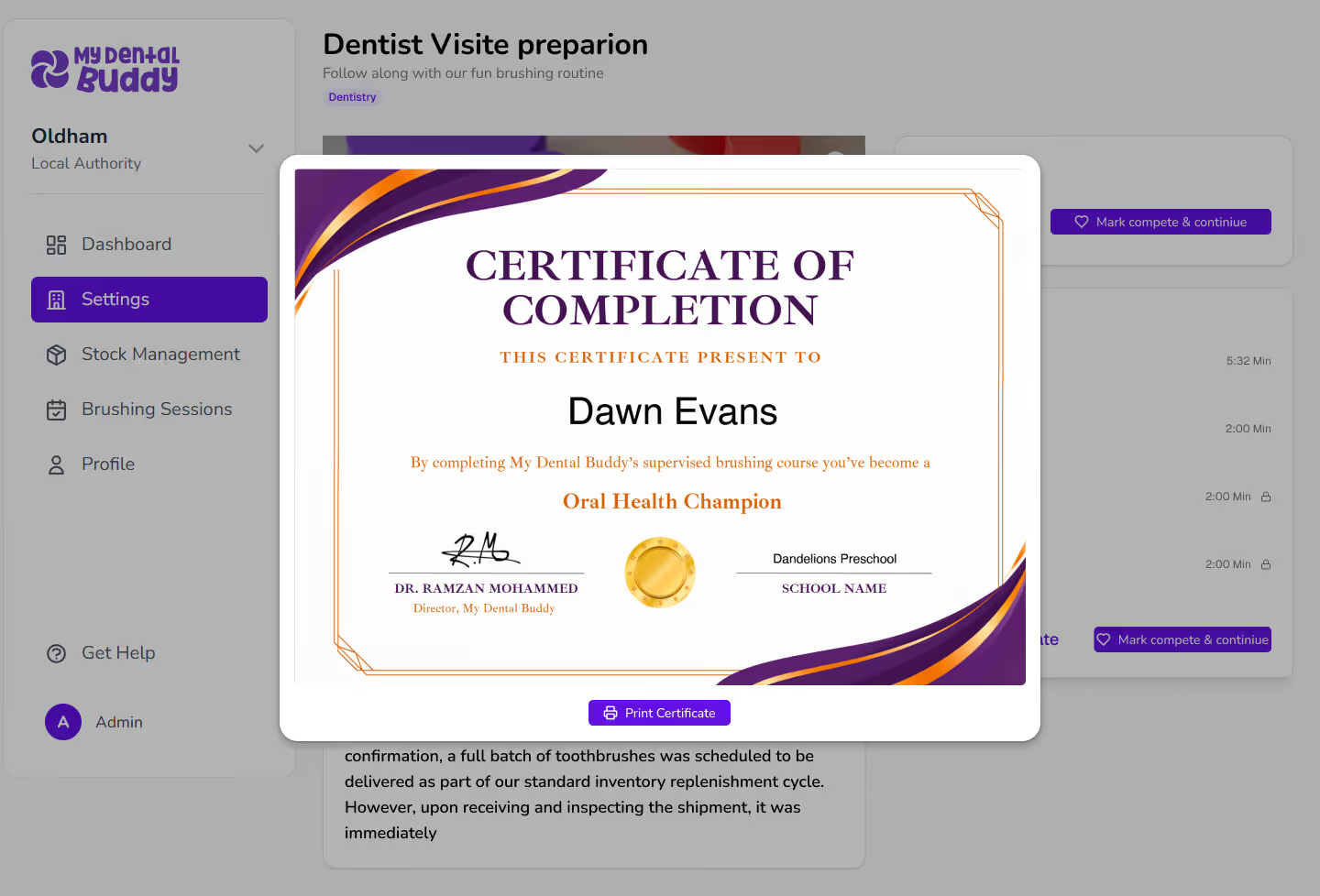
Complete all 5 modules = Oral Health Champion certificate.
Printable immediately. Staff pin it on the noticeboard.
It's visible recognition that says "I know what I'm doing."
Before certification
Staff felt like they were winging it. No visible recognition. Uncertainty about whether they were doing it right.
After certification
Certified professionals. Visible evidence of training. Pride in the programme. Better sessions. Lower staff turnover on brushing duties.
Three complete toolkits. Always current. Always available.
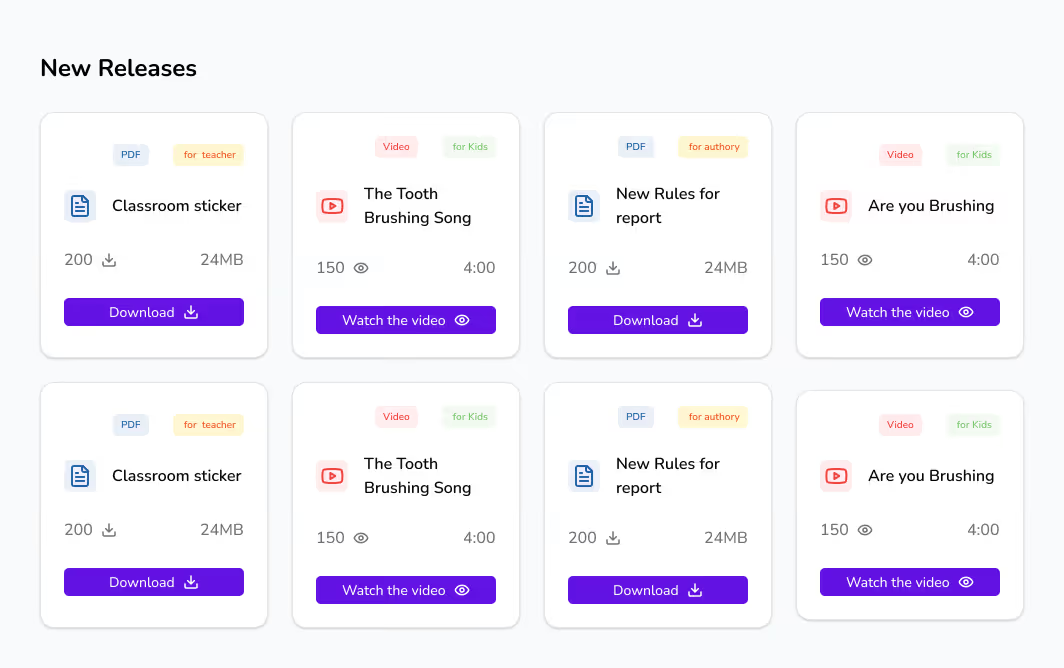
No more "can you send me that PDF?" Every setting, every parent, every child has access to the resources they need. Teachers get setup guides, SEND adaptations, consent forms. Parents get home brushing advice in multiple languages. Kids get colouring sheets, reward charts, songs.
Search and filter
Find exactly what you need. Filter by audience (teacher/parent/kid), topic, format. No hunting through folders.
Always up to date
MDConnect maintains the library. New resources added regularly. Outdated versions never circulate.
Download instantly
One click. PDF ready to print or email. Staff never wait for you to send something.
Access tracking
See which resources are accessed most. Understand what staff and parents actually need.
.avif)
Everything for running sessions.
Professionally designed.
Three professional toolkits that cover everything. New staff member
joins mid-year? Hand them the dashboard login.
They're self-sufficient by lunch.
Resources that settings actually use
"The toolkits are genuinely useful-not just generic materials we have to adapt. And the training
modules mean new staff can get up to speed without us having to run
sessions every time someone joins."